
Start with one useful topic
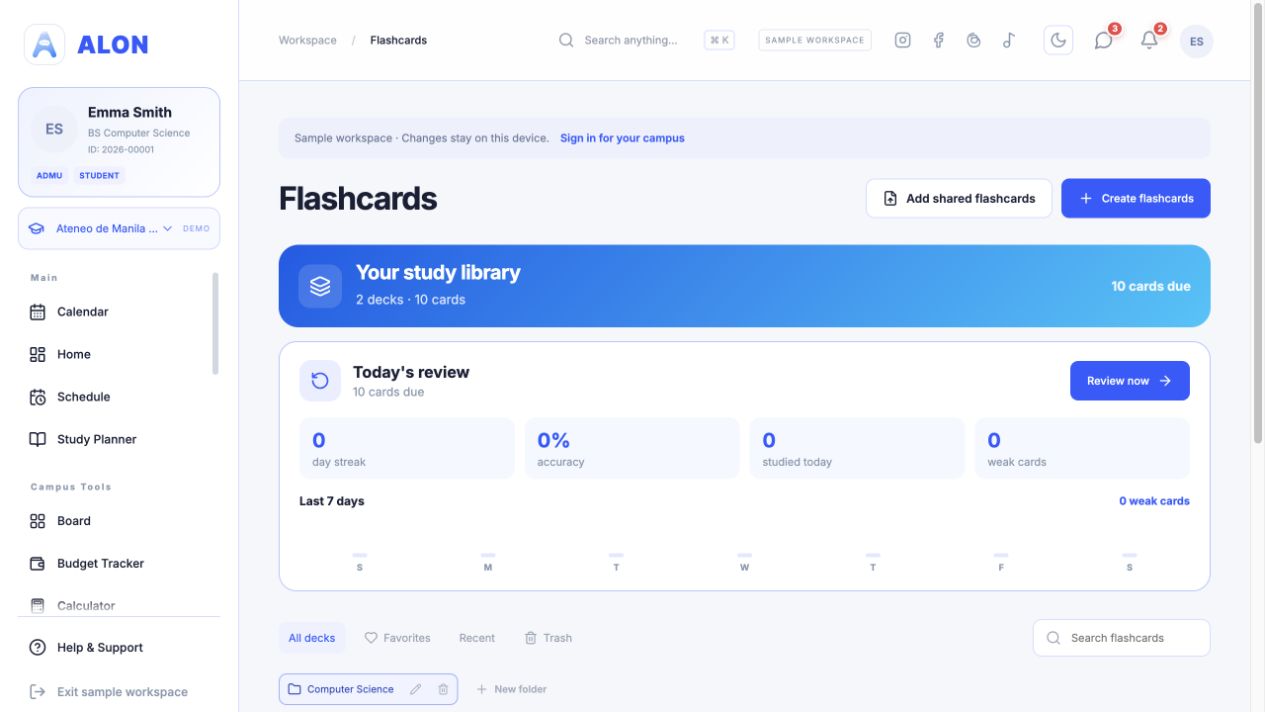
Open Flashcards and choose Create flashcards. Give the deck a title such as “Biology: Cell Structures”. A description, folder, color, and tags are optional. If you already have a course in ALON, you can link the deck to that course; otherwise leave it as an independent deck.
Enter a question or term on the front and its answer or definition on the back. The editor requires at least two complete cards before it saves a deck. A deck can hold up to 200 cards, so divide a very large subject into smaller topics if needed.
Front: What organelle produces most ATP in a cell?
Back: Mitochondrion.
Paste several cards at once
In the deck editor, select Add multiple. Write each pair as Question : Answer. Put each pair on its own line, or separate pairs with a comma before the next question. Select Add cards, review the generated cards, then save the deck.
Capital of the Philippines : Manila
Largest planet : Jupiter
2 + 2 : 4
ALON skips a pair if either side is empty. It also skips a repeated question-and-answer pair already in the deck or repeated in the pasted text. If you reach the 200-card limit, create a second deck instead of trying to paste more into the first.
The Add cards button fills the editor; it does not finish saving the deck. Check the cards and use the deck's save control afterward.
Pick a mode for the job
Open a saved deck to study it. Flashcards lets you flip through terms and answers. Review focuses on cards due for another look. Learn emphasizes cards that need practice, while Write asks you to type an answer. Test can grade a practice test, and Match pairs terms with answers.
The library's Today's review area gathers due cards across decks. Use it when you have several subjects and are unsure which deck to open first. Progress and session totals reflect study activity in your own library; a practice test is a study aid, not an official course grade.
Make one deck for the next quiz topic. Review the cards once to spot unclear answers, then use Today's review on later days to revisit cards ALON shows as due.
If an import or save fails
- For bulk paste, check that each line contains a question, a colon, and a nonempty answer.
- For a new deck, check that at least two cards have both sides filled in.
- If ALON reports duplicate cards, inspect the deck before pasting again; repeated pairs are intentionally skipped.
- If you are in the sample workspace, changes are separate from your signed-in library. Sign in to save to your own account.
For account or feature issues, contact ALON Support.