
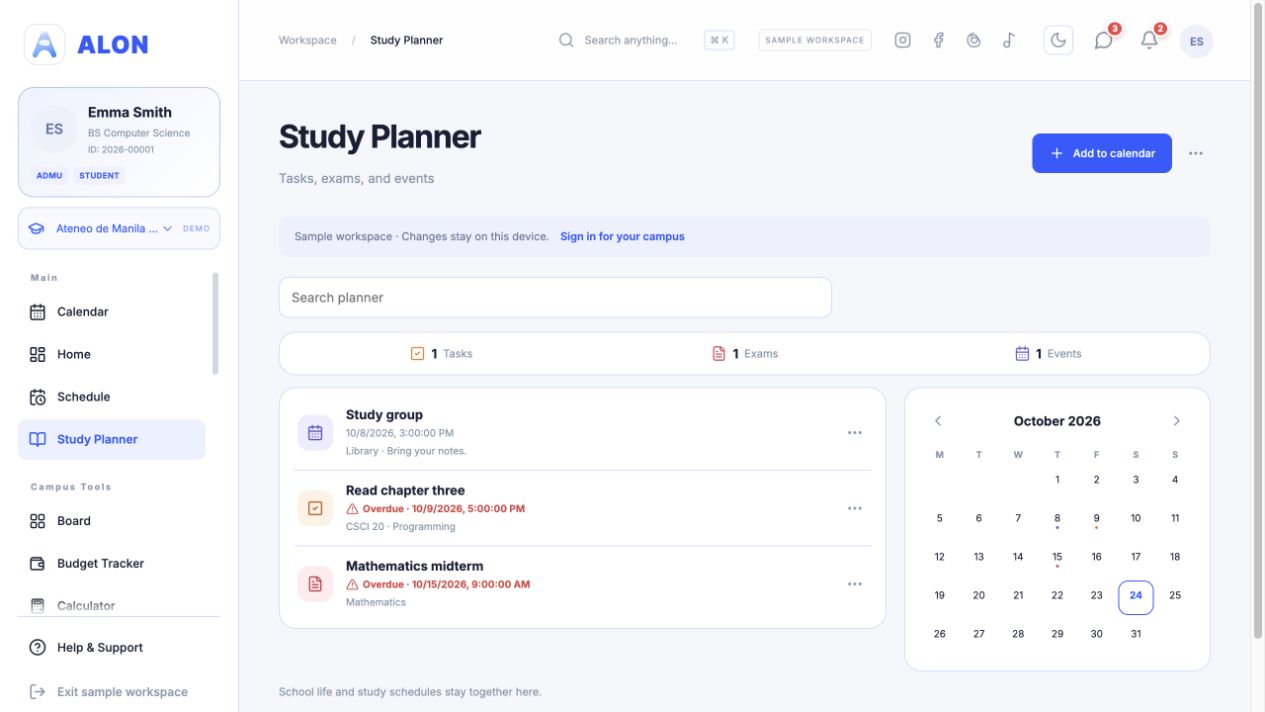
Record the real due date first
Check the course syllabus, classroom announcement, or instructor message. Add the assignment or exam to Study Planner with a short title and its actual date. Include the course so similar tasks are easy to distinguish. If the source gives a time and timezone, record those too; “Friday” alone can be ambiguous for an online submission.
Use a task for work you can complete and an exam entry for a scheduled assessment. An event is better for a meeting or activity that happens at a set time. If your school changes a date, update the same item after checking the new official notice instead of creating a second conflicting entry.
“CSCI 20 research presentation — due 20 November, 5:00 PM.” The title is specific enough to recognize in a list. The date and time should come from the course announcement, not from this example.
Make task steps observable
For a large task, add steps that have a clear finish line. “Work on presentation” is difficult to mark complete. “Choose three sources,” “write the outline,” and “rehearse once with a timer” are actions you can check after doing them. Keep each step short enough for one study session whenever possible.
- Collect requirements. Read the rubric and note the length, format, and submission method.
- Gather material. Find and verify the required sources before designing slides.
- Draft the work. Write the main argument and create a first version.
- Check and submit. Compare the result with the rubric and confirm that the file was received.
Mark a step complete only after the work is done. A completed checkbox is a progress record, not proof that the school received a submission. Keep a receipt or confirmation where the school provides one.
Work backwards from the deadline
Put the final check before the due date, not on it. For a Friday afternoon presentation, aim to have a draft by Wednesday, rehearse on Thursday, and leave Friday for upload problems or last corrections. Compare those study blocks with the class timetable so they do not overlap a lecture or commute.
For an exam, divide the syllabus into topics and schedule retrieval practice on different days. A flashcard deck can help review definitions, while past problems reveal whether you can apply a method. If the grade has a large remaining weight, use the target grade worksheet to understand the arithmetic, then return to the actual exam topics.
Time estimate: leave more time for tasks with unknowns, such as group feedback or school portal access. A calendar full of every available hour is usually fragile when classes change.
Review the list and calendar together
At the start of the week, scan upcoming tasks and exams. Compare their dates with the calendar, then pick the next unfinished step for each important item. At the end of the day, check what actually changed. Move unfinished work deliberately rather than letting old dates accumulate.
If a task seems stuck, make the next step smaller: replace “finish report” with “write the first paragraph” or “ask the instructor which dataset to use.” If a deadline changes, confirm the new date from the school before editing it. The planner helps organize information; it does not create an official school schedule.
A simple four-day example
| Day | Action | Finished when |
|---|---|---|
| Monday | Read rubric and pick sources | Requirements and three sources noted |
| Tuesday | Write the outline | Every section has a main point |
| Wednesday | Create and review slides | Draft matches the rubric |
| Thursday | Rehearse and prepare upload | Timing checked and final file ready |
Adjust this example to the real time available and the size of the assessment. Keep the due date from your official source. Sign in to ALON when you are ready to save your own task steps and progress across devices.